Document Manager for Insurance Agencies
The ABS Document Manager is a powerful electronic filing cabinet integrated into our insurance agency management software. It is the most efficient way to file and organize documents of all kinds. Perhaps the most important time saver is the ease with which you can retrieve documents, and view, print, and share them. Elecrtonic document management eliminates the need to search through physical files. For even greater efficiency, ABS Document Manager can be used sumultaneously by all users. This further enhances productivity and collaboration.
Document Management example:
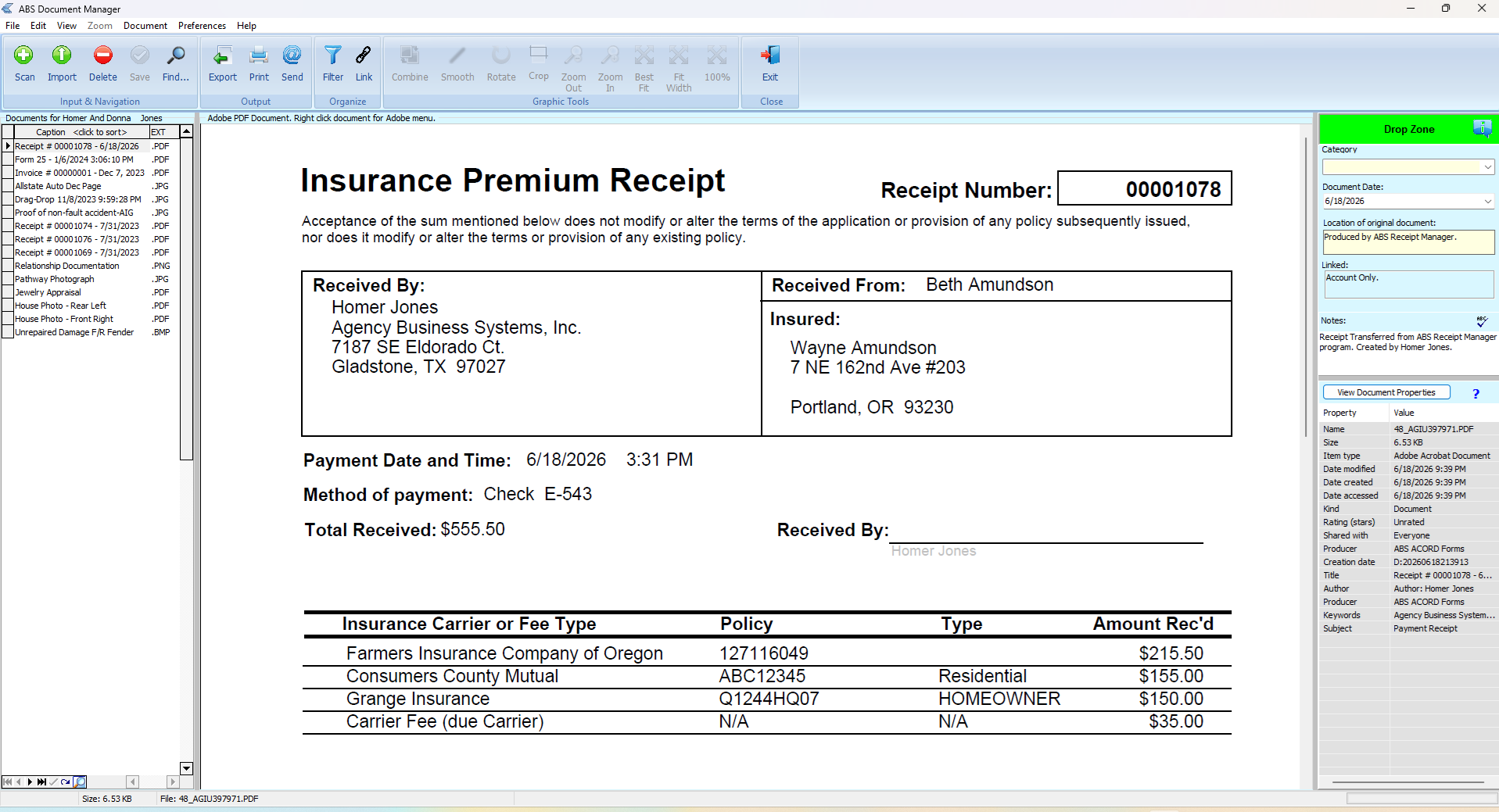
Document Manager Layout
The ABS Document Manager is designed to keep all the management tools in one place, making it easy for you to manage your documents efficiently.
Document Acquisition
Documents can be acquired through various means, including importing saved files, copying from other sources, scanning directly from your scanner, dragging and dropping files, or creating new documents directly from within other ABS features such as ABS ACORD forms, Premium Invoices, and Receipt Manager. This flexibility allows you to manage all your documents with ease.
To simplify document retrieval, acquired documents can be categorized and/or linked to policies or individuals. All acquired documents are automatically linked to the selected client's account. It's automatic so no manual linking is required.
Document Retrieval
ABS Document Manager provides quick and easy ways to access documents using various search and filtering options.